Product

From the pallet you buy to the listing you publish

Purchases, stock, product research, marketplace listings, and profit belong in one system — not many tools and spreadsheets. You buy the lot, receive what arrived, research the products, list on eBay and Allegro, and see whether the lot paid back — on the same records. That journey is Purchasing, Stock, Products, Selling, and Analytics.

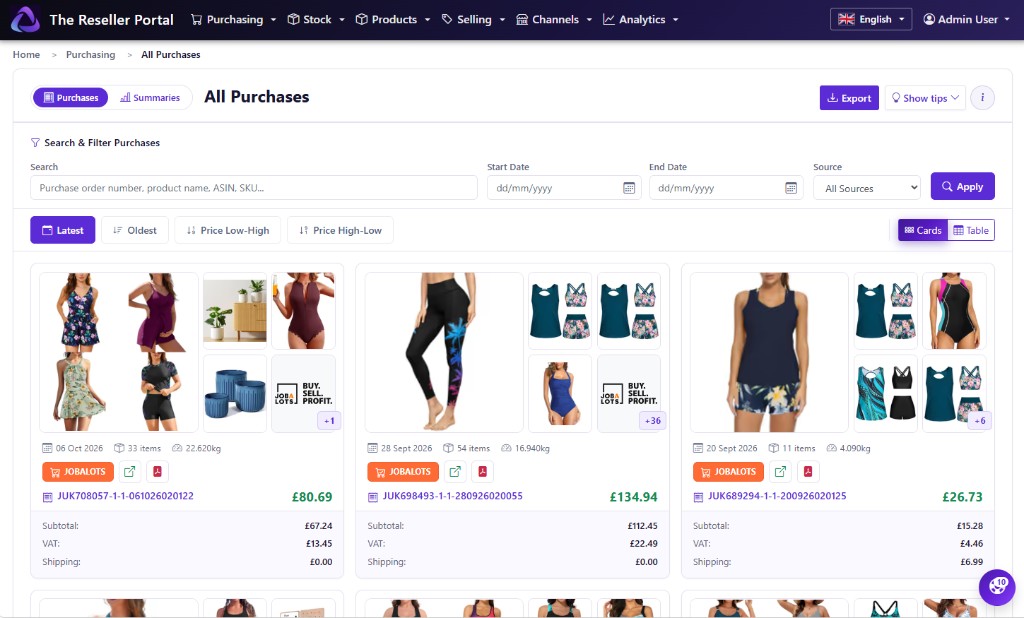
All Purchases with search, filters, and purchase cards from Jobalots lots.

Purchasing

You won the lot. The invoice, the fees, and the lines should sit in one purchase — not in email, a side spreadsheet, and another tool.

  • Connect Jobalots, B-Stock, i-bidder, and other launch suppliers
  • Import the manifest or invoice PDF so buyer’s premium and shipping land on the lines
  • Search every invoice on All purchases, keep the source PDF, export a spreadsheet
  • Open a purchase to see line costs and what to do next
  • Track the delivery while the goods are still on the way

What you paid after premium, VAT, and shipping stays on that purchase. When you list and when you look at profit, you are looking at the same numbers.

See buying features
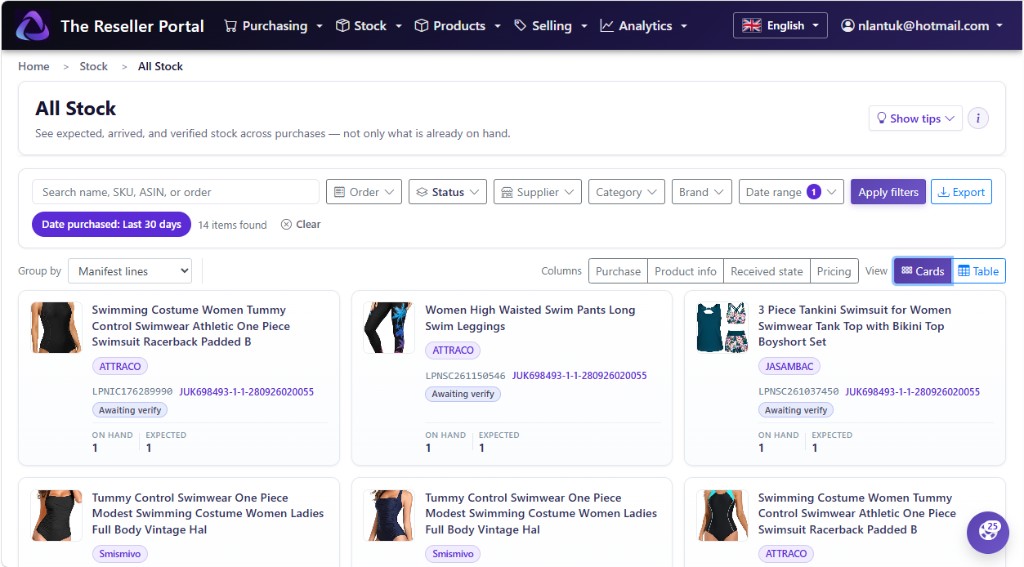
All Stock cards view with search, filters, and on hand versus expected quantities.

Stock

The pallet arrives. You check in what you actually got — quantity and condition — then grade and list that, not what the invoice promised.

  • See what is on hand after check-in on All stock
  • Receive against the purchase when a pallet or parcel lands
  • Check in a delivery line by line when you need the warehouse board
  • Match units to purchase lines so fewer mystery items sit in the corner

Drafts and profit start from the floor. You only prepare and sell what you received.

See stock and receiving
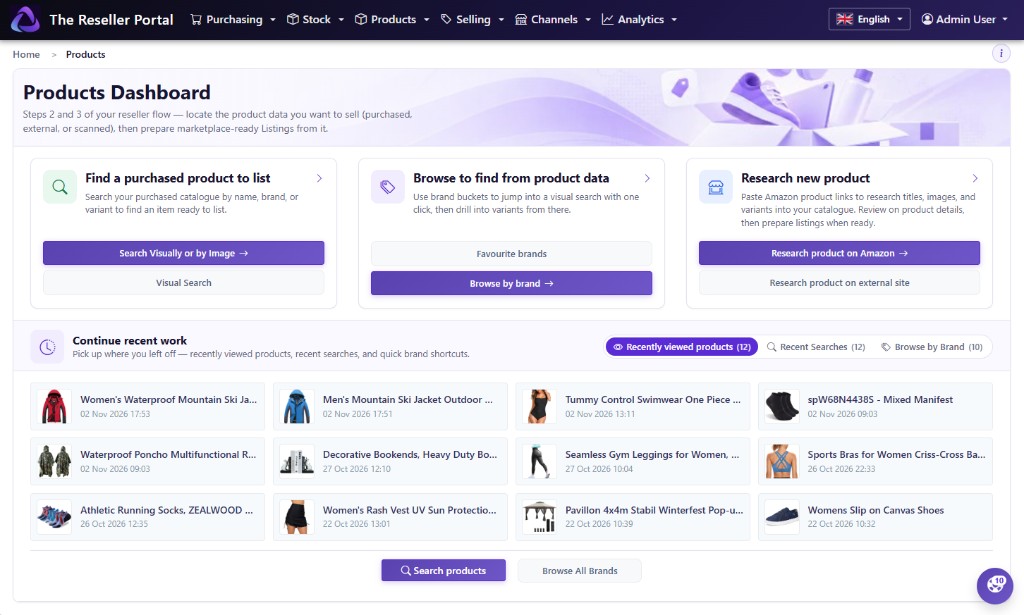
Products dashboard with search, browse by brand, research, and recently viewed products.

Products

Research an Amazon product page or a retailer page once. Titles, photos, and sizes live on that product — one catalogue, not another tool or spreadsheet for every lot.

  • Start from the Products dashboard — research, find by photo, or browse by brand
  • Pull Amazon or retailer titles, images, and colourways onto the products on your lot
  • Find stock by photo and colour when barcodes are missing
  • Open a product to see the purchase lines behind it, then create a listing from that record

Grade and write the listing from the same catalogue. The photos and variants stay with the product.

See catalogue features
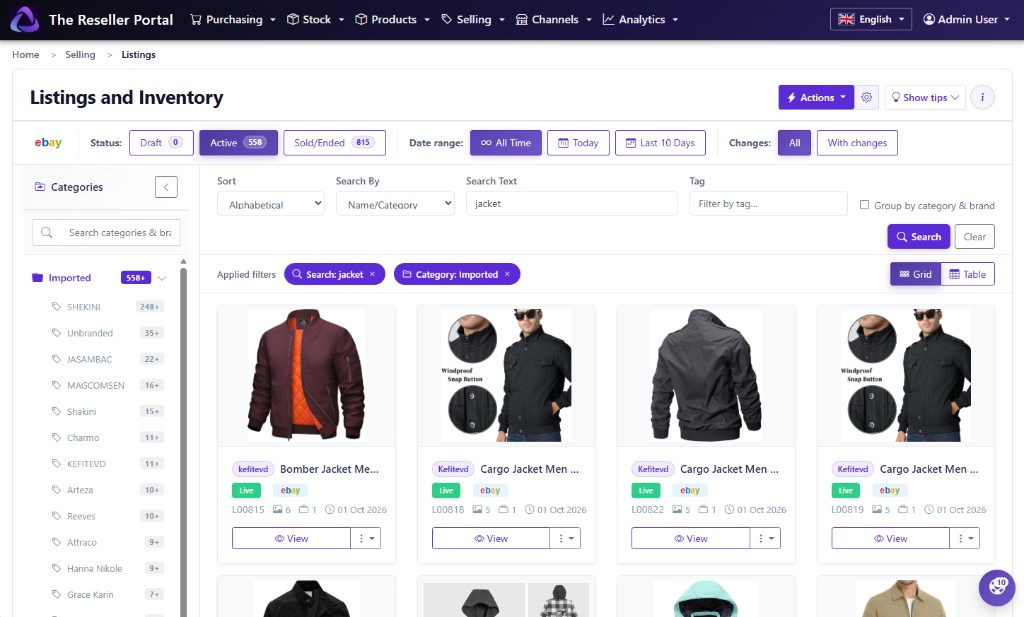
Listings and Inventory with eBay active listings, search, and category grid.

Selling

Turn purchased stock into a listing once: title, photos, variants, and a branded description. Then publish to eBay and Allegro without starting again in a second tool.

  • Quick Prepare walks you from a purchase or product into a draft; Manual Prepare covers incomplete rows
  • Multi-variation listings — size, colour, and other axes with quantity and SKU on each row, published to eBay and to other channels that accept variations
  • Edit the listing in one place — titles, descriptions, images, templates, lead images, and promotions
  • Publish to eBay and Allegro at launch — end, relist, or restart without rebuilding the pack

Hundreds of SKUs can share the same brand look. You revise and take orders from the same listing record.

See selling features
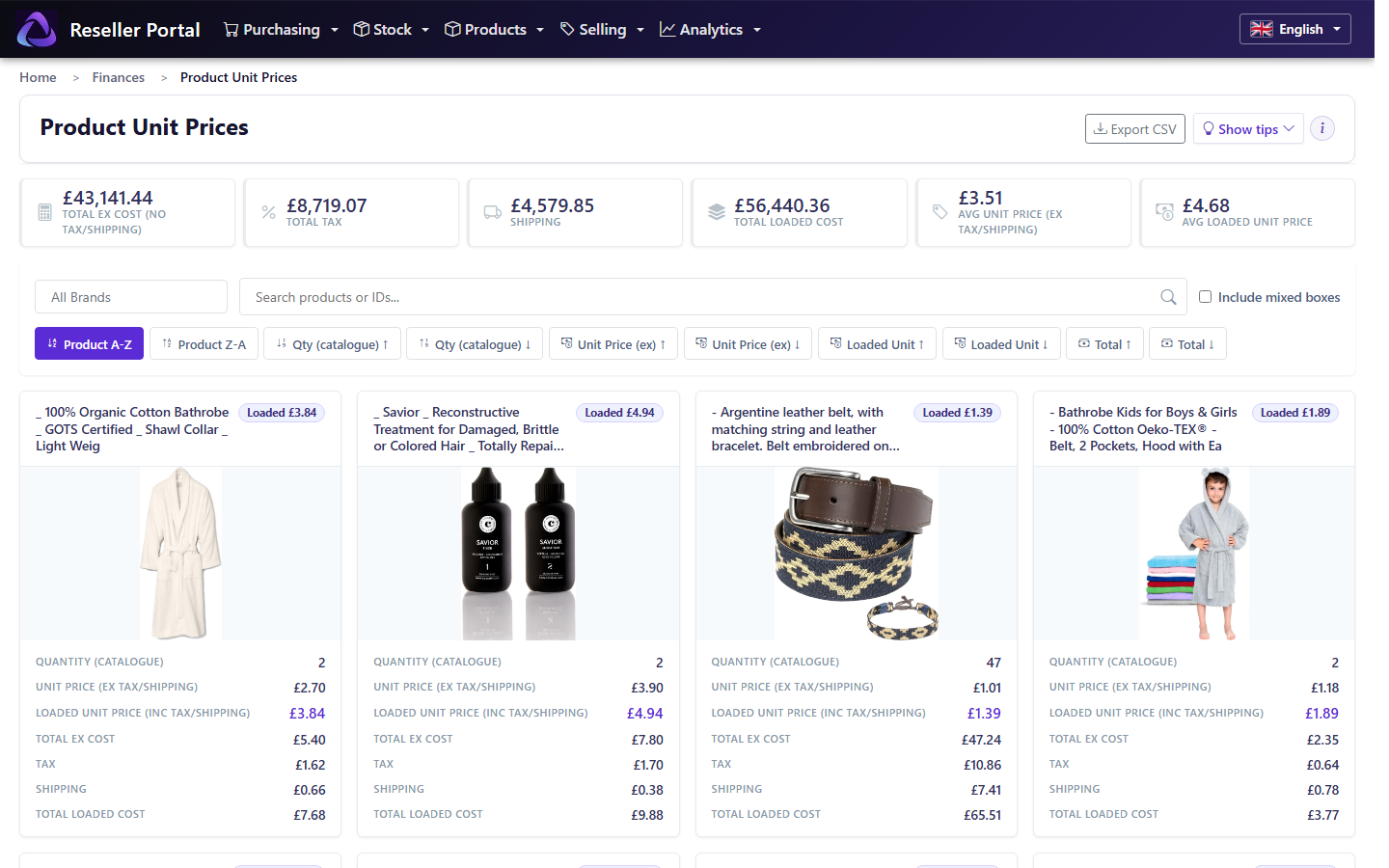
Product unit prices with loaded costs.

Analytics

Did trading pay this period? Cost, fees, and sales sit on the purchases, stock, and marketplace orders you already recorded — one system, not a listing box and a spreadsheet you rebuild every Sunday.

  • Loaded unit prices — what you paid for each item you can actually sell, shipping and tax included
  • Purchase Summary — spend in the year and mix by supplier, with CSV
  • Period profit — marketplace revenue next to invoice spend on the same calendar
  • Buying, selling, and stock dashboards: spend by category, receiving yield, channel sales, lots still sitting

You already bought, checked in, and sold. Analytics is that story as unit cost, year spend, and period profit — not a guessed purchase price on the listing.

See financials and analytics

Pricing

We are still locking plans for teams of different sizes. The pricing page shows how we think about tiers. Full public prices land with launch.

See pricing

Browse the product, or join the waitlist

Buying, catalogue, selling, and financials are ready to read now. Join the waitlist for launch news and early access.